

Digital Signature Certificate (DSC) Registration Online
A Digital Signature Certificate (DSC) is an electronic form of a signature used to authenticate digital documents and online transactions. It ensures the security, authenticity, and integrity of electronic documents submitted online to government portals and regulatory authorities.
In India, Digital Signature Certificates are widely used for company registration, income tax filing, GST returns, e-tendering, MCA filings, and trademark applications. Businesses, professionals, and individuals use DSCs to sign documents digitally and securely.
If you are planning to file documents online with government departments, obtaining a Digital Signature Certificate is essential.
What is a Digital Signature Certificate?
A Digital Signature Certificate (DSC) is a secure digital key issued by licensed Certifying Authorities in India. It verifies the identity of the person signing the document and ensures that the document has not been altered after signing.
The Digital Signature works using Public Key Infrastructure (PKI) technology where the certificate contains the user’s public key and identity information.
Digital signatures are legally valid under the Information Technology Act, 2000, making them equivalent to handwritten signatures.
Uses of Digital Signature Certificate
Digital Signature Certificates are required for many online business and compliance activities.
Company & LLP Incorporation
DSC is mandatory for directors and partners when filing documents with the Ministry of Corporate Affairs.
Income Tax Filing
Digital signatures are required for companies and professionals while filing returns on the Income Tax Department portal.
GST Registration and Returns
Businesses use DSC to sign GST filings on the Goods and Services Tax Network portal.
E-Tendering
Government tenders require digital signatures for secure bid submission.
Trademark and Patent Filing
DSC helps applicants submit documents securely through the Intellectual Property portal.

Types of Digital Signature Certificates
1. Class 3 Digital Signature Certificate
Class 3 DSC is the highest level of digital signature security. It is widely used for:
- Company or LLP incorporation
- MCA filings
- GST filings
- Income tax returns
- E-tendering
- Trademark registration
- Import Export Code applications
2. DGFT Digital Signature Certificate
DGFT DSC is used for import-export transactions on the Directorate General of Foreign Trade portal.
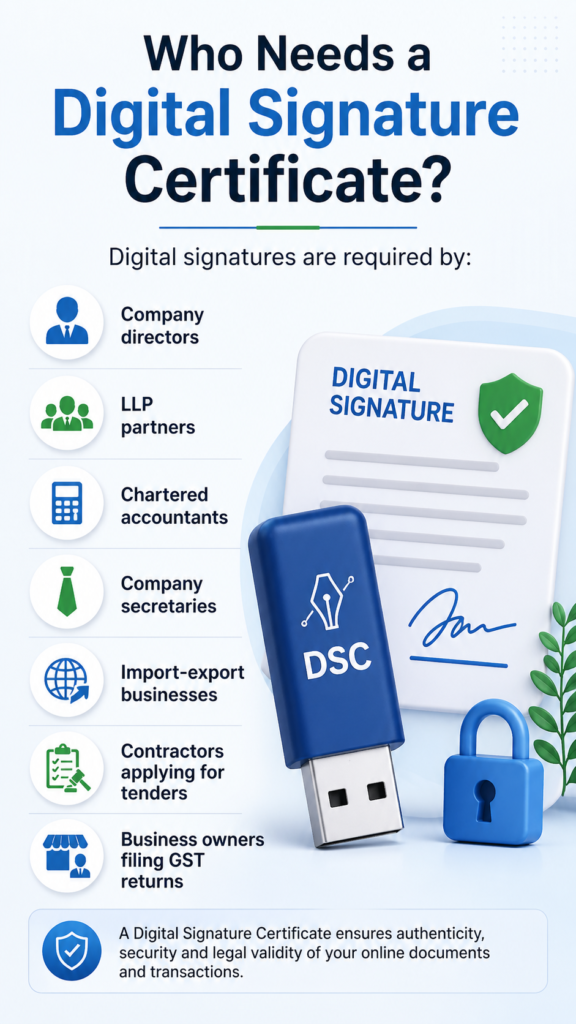
Who Needs a Digital Signature Certificate?
Digital signatures are required by:
-
Company directors
-
LLP partners
-
Chartered accountants
-
Company secretaries
-
Import-export businesses
-
Contractors applying for tenders
-
Business owners filing GST returns
Eligibility for Digital Signature Certificate (DSC)
A Digital Signature Certificate (DSC) can be obtained by individuals as well as organizations who need to sign documents electronically for legal and business purposes.
Individuals Eligible for DSC
Organizations Eligible for DSC
Requirements for Digital Signature Certificate
To apply for a DSC, applicants must fulfill certain basic requirements to ensure authenticity and security.
Basic Requirements
Technical Requirements
Compliance Requirements
Digital signatures must comply with regulations under the Information Technology Act, 2000, ensuring legal validity and security.
Documents Required (Detailed Explanation)
The documentation depends on whether the applicant is an individual or applying on behalf of an organization.
For Individual Applicants
Identity Proof
Address Proof (Any One)
Additional Documents
For Company / Organization Applicants
Applicant Documents
Organization Documents
A virtual office address is legally accepted for company registration and GST purposes.
How We Help You Build a Strong Legal Foundation
Expert Guidance
We assess your requirements and recommend the right Digital Signature Certificate for your business needs.
Hassle-Free Documentation
We assist in preparing and verifying all documents to ensure error-free approval.
Quick Processing
Fast-track application, verification, and issuance to save your time.
End-to-End Support
Expert support from company setup to post-registration requirements. 🚀
Process to Apply for Digital Signature Certificate
The DSC registration process is simple and can be completed online.
Step 1 – Application Submission
Submit the DSC application form with necessary documents.
Step 2 – Identity Verification
Complete identity verification through OTP, video verification, or Aadhaar authentication.
Step 3 – Certificate Generation
Once verification is successful, the Digital Signature Certificate is issued.
Step 4 – Download and Install
The DSC is provided in a secure USB token and can be used for digital signing.
Validity of Digital Signature Certificate
Digital Signature Certificates are typically issued for 1 year, 2 years, or 3 years. After expiry, the certificate can be renewed.
Why Choose Professional Assistance for DSC?
Applying for DSC through experts ensures:
Advantages of Digital Signature Certificate
1. High Level Security
Digital signatures use advanced encryption technology to ensure that documents are secure and cannot be altered after signing.
2. Legal Validity
DSCs are legally recognized under the Information Technology Act, 2000, making them equivalent to handwritten signatures.
3. Time-Saving & Paperless
Eliminates the need for physical paperwork, printing, and courier services—everything can be done online quickly.
4. Faster Approvals
Documents signed with DSC are processed faster on government portals like the Ministry of Corporate Affairs.
5. Authenticity & Integrity
Ensures that the signer’s identity is verified and that the document has not been tampered with.
6. Cost-Effective in the Long Run
Reduces operational costs related to paper, printing, storage, and manual processing.
Disadvantages of Digital Signature Certificate
1. Initial Cost
Obtaining a DSC involves a fee, including the cost of a USB token, which may feel like an upfront expense for small users.
2. Technical Setup Required
Users may face difficulty in installing drivers or setting up the DSC on their system, especially non-technical users.
3. Limited Validity
DSCs are issued for a fixed period (1–3 years) and need renewal after expiry.
4. Dependency on Devices
A DSC generally requires a specific USB token device, which must be carried and used on compatible systems.
5. Risk of Misuse if Not Secured
If the USB token or password is compromised, there is a risk of unauthorized usage.
6. Compatibility Issues
Sometimes DSC may not work smoothly with certain browsers or systems without proper configuration.
Register Your Digital Signature Certificate (DSC) with Jistartup
Getting your Digital Signature Certificate (DSC) is quick and hassle-free with Jistartup. We simplify the entire process so you can focus on your business while we handle the compliance.
Our Simple Process
Step 1: Submit your basic details and documents
Step 2: Complete OTP/video verification
Step 3: DSC approval and issuance
Step 4: Installation support and ready-to-use setup
Get Started Today
Register your DSC with Jistartup and experience a secure, fast, and reliable way to handle your digital compliance.
👉 Apply now and get your Digital Signature Certificate without any hassle! 🚀
See What Our Clients Are Saying
“The team at Jistartup handled our registration and compliance work very efficiently. Their clear guidance made the process quick and stress-free. A great partner for new entrepreneurs.”
“We opted for Virtual Office services from Office Space Provider along with company registration through Jistartup. The documentation was handled perfectly and got approved without any hassle. Very professional experience.”
Frequently Asked Questions (FAQs)
1. Can I use one DSC for multiple government portals?
Yes, a single DSC can be used across multiple government platforms such as MCA, GST, income tax, and e-tender portals, as long as it is valid and properly registered on each portal.
2. What happens if my DSC expires during a filing process?
If your DSC expires before completing a filing, you won’t be able to submit the document. You must renew your DSC and re-sign the document before submission.
3. Is physical presence required to obtain a DSC?
No, the entire process can be completed online through Aadhaar OTP or video verification. Physical presence is not required in most cases.
4. Can a DSC be transferred from one person to another?
No, a DSC is issued in the name of a specific individual and cannot be transferred. Each person must apply for their own certificate.
5. What should I do if my DSC token is lost or damaged?
You should immediately inform the Certifying Authority and apply for a reissue or revoke the existing DSC to prevent misuse.
6. Can I use DSC on multiple computers?
Yes, you can use your DSC on multiple systems, provided the USB token drivers are installed on each device.
7. Is internet connection required to use a DSC?
Yes, an internet connection is required when signing documents on online portals or verifying digital signatures.
8. Can I hold more than one DSC?
Yes, an individual can hold multiple DSCs for different purposes (e.g., personal and organizational), but each must be registered separately.
9. What is the difference between DSC renewal and reissue?
Renewal is done after expiry to extend validity, while reissue is required when there is a change in details or loss/damage of the token.
10. What happens after Private Limited Company registration is completed?
Yes, after obtaining a DSC, you must register it on respective portals like Ministry of Corporate Affairs or Goods and Services Tax Network before using it.
